Free
$0forever
Everything you need to stop guessing.
Start free- 1 body template
- 3 try-ons a day
- Unlimited saved looks
- Paste any product link
One photo. Every fit. About 20 seconds.
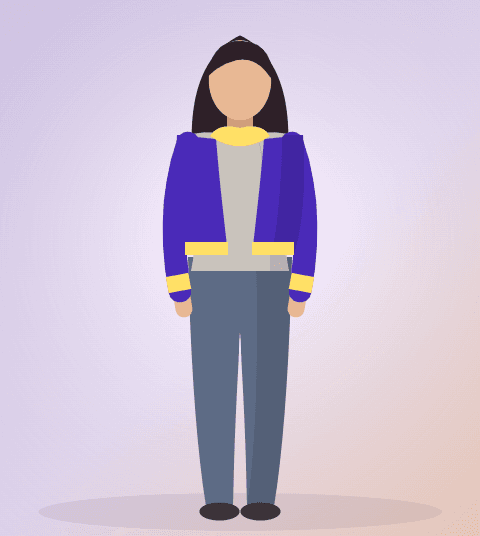
Fitly is a virtual try-on mirror for your real body. Upload one photo, paste any product link, and watch the piece land on you — drape, length, proportion and all.
 TRIED ON94% you
FITLY ON MOBILE
Same closet, same looks, same try-ons — plus the camera. Snap a piece on the rack and see it on you before you queue for the changing room.
SOON ONiOS
Free · Android 9+ · 24 MB · same account, synced closet
YOUR CLOSET
24 pieces
TRIED ON94% youRack shot processed — try-on generated in 16s.
IN-STORE MODECamera try-on
HOW IT WORKS
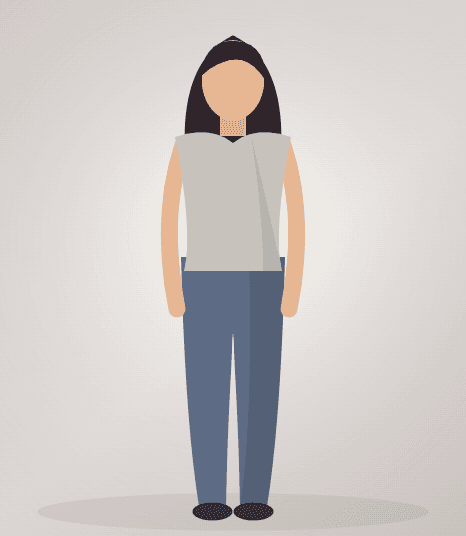
Upload one full-body photo in decent light. Fitly turns it into a private body template you reuse forever.
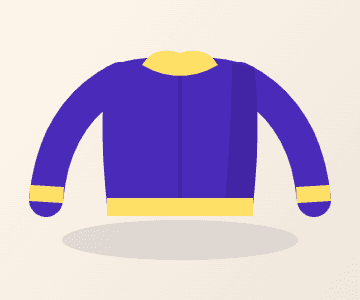
Paste a product link, upload a photo of the piece, or pull something you already own out of your closet.
Fitly generates the garment on your template. Save it to Looks or download the image.
THE MIRROR
Fitly does one thing and does it well: it takes the body template you saved and the garment you picked, and generates you wearing it. No styling opinions, no guesswork — just the image.
Upload a full-body shot and I'll keep it as your mirror — you only do this once.
Trying: Cropped bomber
“I stopped ordering three sizes of everything. I just look at it on me first.”
“I can see exactly how a cropped jacket sits on me before it ships. That is all I wanted.”
“Feels less like an app and more like a friend who is honest about clothes.”
PRICING
$0forever
Everything you need to stop guessing.
Start freeSOON
$9/month
For people who shop like it is a sport.
Coming soon
Free plan only during early access
SOON
$29/month
For stylists and small labels.
Coming soon
Free plan only during early access
One is enough to start, and it gives the best results for dresses, trousers and anything long. A waist-up template still works for tops and jackets — it just shows less of the garment.
Fitly shows drape, length and proportion of the garment on your own body template. It is a generated image, not a tape measure — use it to judge look and proportion, and the brand chart for size.
They sit in private storage tied only to your account, are never used for training, and are deleted along with every generated look the moment you delete them.
Any product page with a clear garment image. Paste the link and Fitly pulls the photo and details — no retailer partnership needed.
Same closet and same looks — the Android app adds camera try-on so you can shoot a piece on the rack in a shop. On web you upload or paste a link instead.
One photo gets you 3 try-ons a day on the free plan. Delete it any time and everything goes with it.